

REAL ID for Flying in 2026: Do You Need One, What Are Your Options, and How to Get One Fast
REAL ID for Flying in 2026: Do You Need One, What Are Your Options, and How to Get One Fast

REAL ID for Flying in 2026: Do You Need One, What Are Your Options, and How to Get One Fast
Updated May 2026 — By The Autopilot Crew
The REAL ID deadline has come and gone. As of May 7, 2025, the rules are officially in effect. And yet millions of travelers are still confused about what they actually need to get through airport security.
Here's the short version: if your driver's license doesn't have a star on it, you can't use it alone to fly domestically anymore. But you have more options than you probably think.
Let's break down everything you need to know — what changed, what counts as valid ID, the new $45 backup option, and how to get a REAL ID if you still need one.
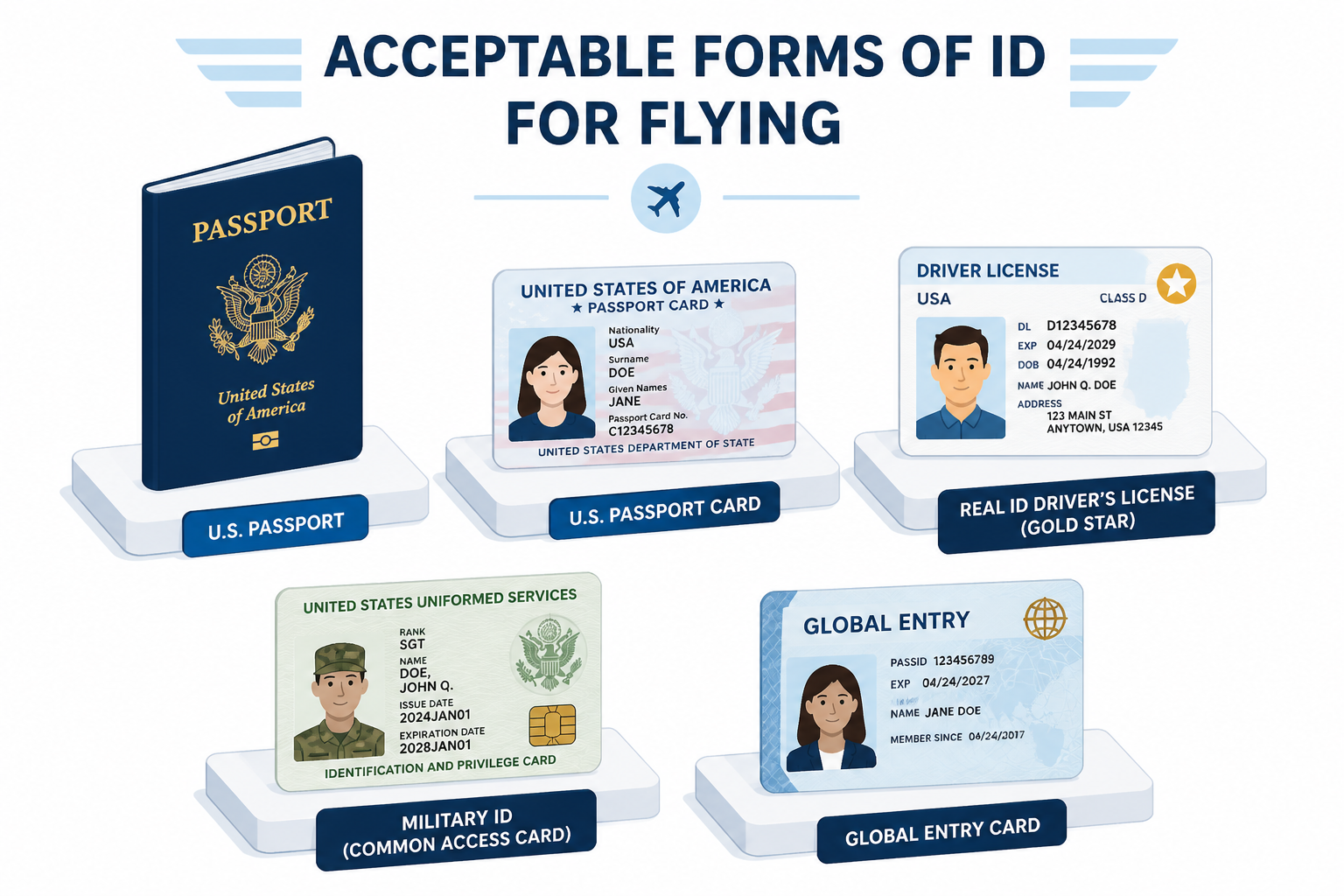
Not necessarily. You need a REAL ID or another TSA-accepted form of identification. A U.S. passport, passport card, military ID, or Global Entry card all work just fine.
But if your state driver's license is your only form of ID, then yes — it needs to be REAL ID-compliant. That means it has the gold star (or your state's equivalent marking) in the upper right corner.
If you show up with a non-compliant license and nothing else, you won't be turned away immediately. Since February 1, 2026, TSA offers a paid backup option called ConfirmID. But it costs $45, adds time, and isn't guaranteed to work. More on that below.
The REAL ID Act was actually signed into law back in 2005 — in response to the 9/11 Commission's recommendations. The enforcement deadline was pushed back multiple times, including pandemic-related delays.
But on May 7, 2025, the grace period finally ended. TSA now enforces the requirement that all state-issued driver's licenses and ID cards must be REAL ID-compliant to be accepted at airport security checkpoints.
If your license doesn't have the star marking, it's no longer valid on its own for boarding a domestic flight.
Look at the upper right corner of your driver's license or state ID. A REAL ID-compliant card will have a gold or black star inside a circle.
Some states use slightly different markings. California uses a grizzly bear with a star. Michigan places the star inside a silhouette of the state. But in all cases, if you see a star-based marking, you're good.
If you don't see any star marking at all, your card is a standard (non-compliant) ID, and you'll need either an upgrade or an alternative form of identification to fly.
A REAL ID isn't your only option. TSA accepts a surprisingly long list of alternative documents. Here's the complete rundown.
| Accepted ID | Notes |
|---|---|
| REAL ID-compliant driver's license or state ID | Must have the star marking |
| U.S. passport (book) | Must be unexpired |
| U.S. passport card | Wallet-sized; works for domestic flights |
| U.S. Department of Defense ID | Includes military dependents |
| DHS Trusted Traveler card (Global Entry, NEXUS, SENTRI, FAST) | Any of the four programs |
| Permanent Resident Card (Green Card) | Must be unexpired |
| Enhanced Driver's License (EDL) | Issued by WA, MI, MN, NY, or VT |
| Enhanced Identification Card (EID) | Same states as EDL |
| Federally recognized Tribal Nation photo ID | Includes Enhanced Tribal Cards |
| HSPD-12 PIV card | Federal employee credential |
| U.S. Citizen ID Card (I-179 or I-197) | Issued by USCIS |
| Transportation Worker Identification Credential (TWIC) | Issued by TSA |
| Approved mobile driver's license (mDL) | Must be based on a REAL ID; see digital ID section |
| TSA ConfirmID (paid option) | $45 fee, 10-day window; not guaranteed |
If you have any of the documents above, you don't need a REAL ID to fly. A passport card, for instance, costs just $65 and fits in your wallet — a great backup for frequent domestic travelers.
Starting February 1, 2026, TSA rolled out a new option for travelers who show up without any acceptable ID. It's called ConfirmID, and it works like this:
ConfirmID is not guaranteed. If TSA can't verify your identity through its databases, you will be denied access to the secure area and won't be able to board your flight. There's no appeal process at the checkpoint.
Processing adds roughly 15 to 20 minutes to your security experience, and wait times vary by airport. This is not something you want to rely on regularly.
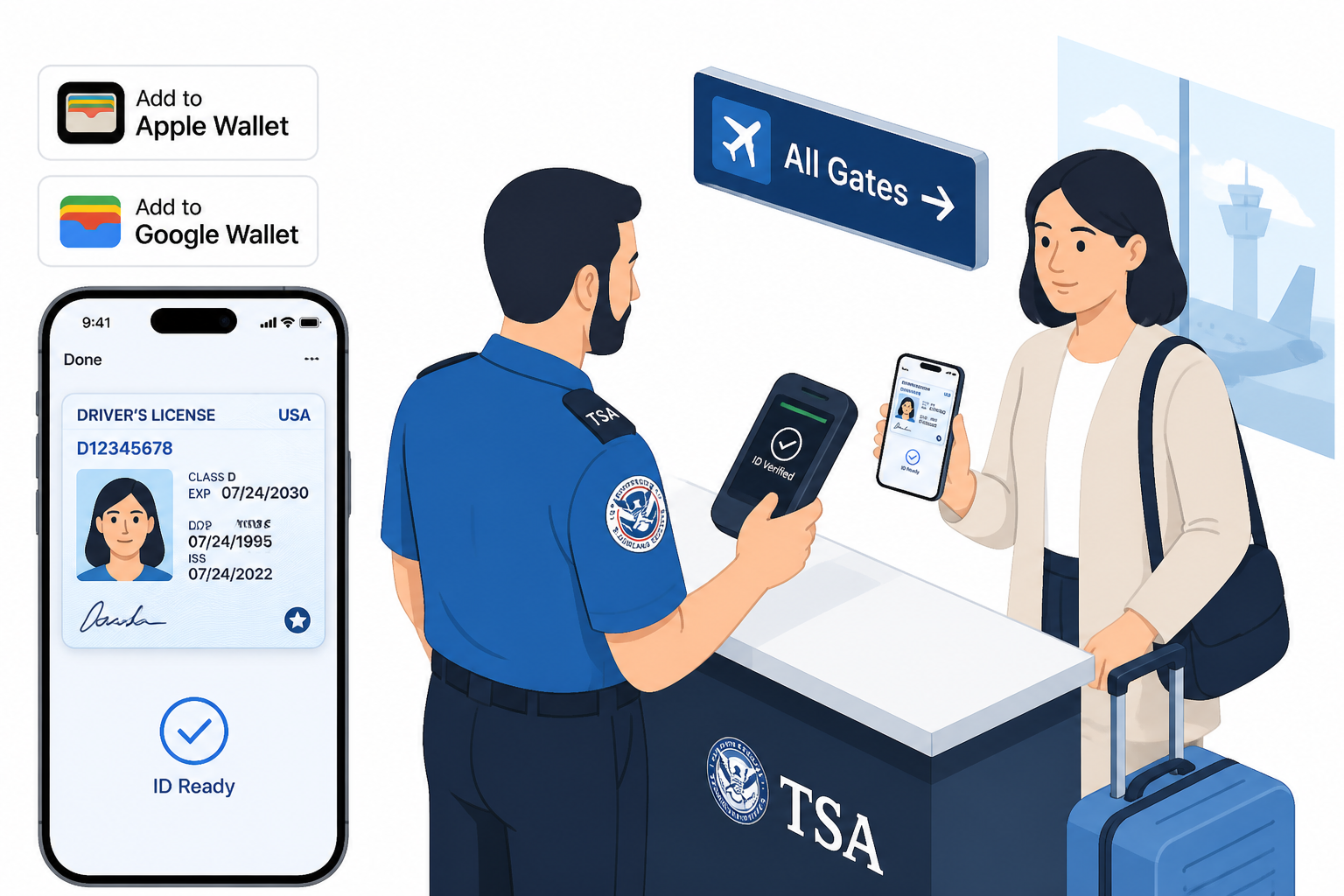
Here's something most travelers don't realize: you may already be able to use your phone as your ID at the airport.
TSA now accepts mobile driver's licenses (mDLs) at more than 250 airports nationwide through Apple Wallet, Google Wallet, and Samsung Wallet. There's one important requirement: your digital ID must be based on a REAL ID-compliant physical license.
As of May 2026, these 14 states plus Puerto Rico support driver's licenses in Apple Wallet:
Arizona, California, Colorado, Georgia, Hawaii, Illinois, Iowa, Maryland, Montana, New Mexico, North Dakota, Ohio, Puerto Rico, and West Virginia.
Seven more states — Arkansas, Connecticut, Kentucky, Mississippi, Oklahoma, Utah, and Virginia — have signed on and are expected to launch soon.
Even if your state doesn't support Apple Wallet IDs, Google Wallet now lets you create a Digital ID based on your U.S. passport, which is accepted at participating TSA checkpoints.
One important note: TSA still recommends carrying a physical backup ID, even if you plan to use your digital version.
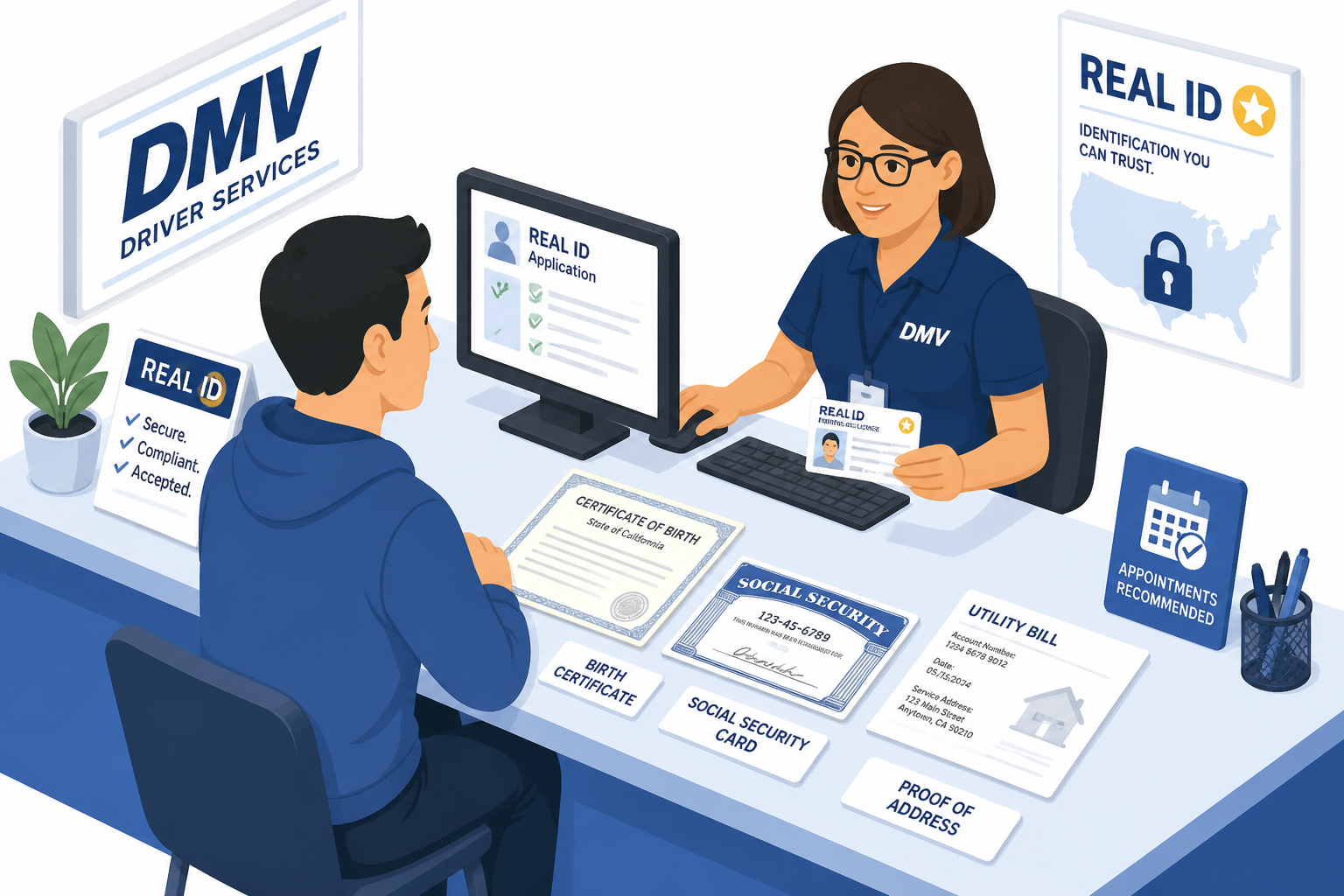
If you don't have a REAL ID yet, getting one is straightforward — though it does require anin-person visit for your first application.
Federal law requires the same core documents in every state:
Visit your state's DMV (or equivalent agency). Some states also allow applications at AAA offices or other authorized locations. Many states let you start the process online or pre-verify your documents before your in-person visit.
Costs vary significantly by state — anywhere from about $10 to nearly $100. Here are a few examples:
| State | REAL ID Cost | Notes |
|---|---|---|
| Michigan | $9 (upgrade) | Cheapest in the country |
| Virginia | ~$10 + license fee | Upgrade fee only |
| Oregon | $30 | REAL ID fee |
| California | $39 | Standard DL fee |
| Hawaii | $40 | 8-year validity |
| Florida | $25-$48 | ID card vs. driver's license |
| Washington | $97 | Most expensive |
Processing times also vary. Some states issue REAL IDs the same day; others mail them within 2 to 4 weeks.
Good news for families: children under 18 do not need any form of ID to fly domestically. No REAL ID, no passport, nothing. TSA does not require identification for minors on domestic flights.
The accompanying adult, of course, still needs valid ID. And individual airlines may have their own policies for unaccompanied minors, so check with your carrier if your child is flying solo.
If you're flying internationally, a REAL ID is irrelevant. You need a valid U.S. passport regardless.
Your passport also works as acceptable ID for domestic flights, so if you already have one, you're covered in every scenario. Many frequent travelers keep a passport card in their wallet as an easy domestic backup.
False. You can fly with a passport, passport card, military ID, Global Entry card, or any other TSA-accepted document. You can also use ConfirmID as a last resort.
Not quite. REAL ID is also required to enter certain federal facilities (like military bases and nuclear power plants) without an alternative acceptable ID. But for most people, flying is the primary use case.
Not necessarily. In many states, upgrading to a REAL ID is a simple process at the DMV. You keep the same license number — you just get a new card with the star marking.
Dangerous assumption. ConfirmID relies on database matching. If TSA can't verify your identity, you're not getting on that plane. There's no appeal at the checkpoint. Don't treat it as a reliable plan A.
The REAL ID requirement is real, it's being enforced, and the days of flashing any old driver's license at TSA are over. But you have plenty of options.
If you already have a passport, passport card, or any other TSA-accepted ID, you're fine. If your only ID is a state driver's license, check for the star. If it's not there, get to your DMV or apply for a passport card.
And if you're planning your next trip, let Autopilot handle the booking so you can focus on making sure your ID situation is sorted before you head to the airport.
Whether you've got your REAL ID or you're using a passport, the best way to book flights is to let someone else do the searching for you. Try Autopilot — tell us where you want to go, and we'll find you the best flights and handle the booking. No searching required.
You need a REAL ID or another TSA-accepted form of identification, such as a U.S. passport, passport card, military ID, or DHS Trusted Traveler card (Global Entry, NEXUS, SENTRI). A REAL ID-compliant driver's license is one option, but not the only one.
The REAL ID enforcement deadline was May 7, 2025. Since that date, non-compliant state driver's licenses are no longer accepted on their own at TSA checkpoints for domestic flights.
Look for a gold or black star marking in the upper right corner of your license. Some states use variations (California uses a bear with a star, Michigan uses a state outline with a star), but all REAL ID-compliant cards have a star-based marking.
Since February 1, 2026, you can use TSA ConfirmID — a $45 paid option that uses biometric verification to confirm your identity. It's valid for 10 days but adds 15 to 20 minutes of processing time and is not guaranteed to work.
ConfirmID costs $45 per use and is valid for a 10-day travel window. You can pay online at Pay.gov using a credit or debit card, bank account, Venmo, or PayPal. TSA recommends paying in advance to reduce delays at the checkpoint.
No. TSA does not require any form of identification for children under 18 on domestic flights. The accompanying adult must have valid ID. Check with your airline for any carrier-specific policies regarding unaccompanied minors.
Yes, at more than 250 participating airports. Mobile driver's licenses through Apple Wallet, Google Wallet, and Samsung Wallet are accepted, but your digital ID must be based on a REAL ID-compliant physical license. As of May 2026, 14 states plus Puerto Rico support this feature. TSA still recommends carrying a physical backup.
No. International flights require a valid U.S. passport, which also serves as acceptable ID at TSA checkpoints. If you have a passport, you don't need a REAL ID for any flight — domestic or international.
Ready to book your next flight? Tell Autopilot where you want to go, and we'll handle the rest — from finding the best fares to completing the booking. All you have to do is pack your bags (and your REAL ID).
Disclaimer: Policies may change. Always verify directly with the hotel or airline before making travel decisions.

