

Google Flights Tips and Tricks: 17 Ways to Find Cheaper Flights in 2026
Master Google Flights with 17 expert tips and tricks for 2026. Learn the Explore map, price tracking, AI deals, date grid, and hidden features to find cheaper flights.

Master Google Flights with 17 expert tips and tricks for 2026. Learn the Explore map, price tracking, AI deals, date grid, and hidden features to find cheaper flights.
Google Flights is, hands down, the most powerful free flight search tool on the internet. But most travelers barely scratch the surface of what it can do.
They type in two cities, pick a date, and book whatever pops up first. That's like using a Swiss Army knife only as a bottle opener.
I've spent hundreds of hours inside Google Flights — testing every filter, toggling every hidden feature, and tracking how its algorithms actually work. Here are the tips and tricks that will genuinely save you money in 2026.

Google Flights is a metasearch engine. It doesn't sell you tickets directly — it aggregates pricing data from over 300 airlines and booking platforms, then sends you to the cheapest option to complete your purchase.
What sets it apart from other flight search tools is speed and data. Google's algorithms analyze millions of historical fare data points in real time, which means it can tell you not just what a flight costs right now, but whether that price is likely to go up or down.
It's completely free, has no ads disguised as search results, and doesn't steer you toward specific airlines. That neutrality matters when you're trying to find the actual cheapest fare.
This is the single most underrated feature in Google Flights, and it's where I start every trip search when I don't have a locked-in destination.
Head to google.com/travel/explore, enter your home airport, leave the destination blank, and hit search. A world map appears with price bubbles pinned to cities everywhere. Green bubbles mark the cheapest options.
The Explore map is essentially the answer to "where can I fly cheaply?" — and it updates in real time based on your dates and filters.
These two tools are hidden in plain sight. After you run a standard search, look for the Date grid and Price graph links near the top of your results.
The Date Grid shows a matrix of departure and return dates with prices in each cell, color-coded green (cheapest) to red (most expensive). It's the fastest way to see whether shifting your trip by a day or two could save you serious money.
I've seen $300+ price differences between a Thursday departure and a Friday departure on the same route. The Date Grid makes those gaps instantly visible.
The Price Graph plots prices across weeks or months for a fixed trip duration. It's perfect for spotting seasonal pricing trends — like the fact that flying to Europe in mid-September is often 40-50% cheaper than early July.
Between these two tools, you can identify the cheapest possible window for your trip in under 60 seconds.
Once you've found a route you're interested in, toggle "Track prices" at the top of the search results. Google will email you whenever the fare changes significantly — up or down.
Price tracking works best as a background monitor while you're in the planning phase. Set alerts for 3-5 routes you're considering, then let the data guide your decision. And if you want even smarter deal alerts that catch fares Google misses, Autopilot monitors routes around the clock and flags drops the moment they happen.

Google Flights defaults to the "Best" tab, which balances price against convenience — factoring in flight duration, number of stops, airline reputation, and departure times.
The "Cheapest" tab strips all of that away and sorts purely by price. This is where you'll find the budget carriers, the 6 AM departures, and the 14-hour layover itineraries that save you $200.
My approach: always check both tabs. The "Best" tab is your baseline for a comfortable trip. The "Cheapest" tab tells you how much comfort actually costs on that route. Sometimes the gap is $15. Sometimes it's $400. That context helps you make smarter decisions.
When you click on the departure or return date field, you'll see an option to search "Flexible dates" — which shows you prices across a range of nearby dates.
This is different from the Date Grid. Flexible dates works within the calendar picker itself, giving you a quick visual of which surrounding days are cheaper without leaving the main search interface.
The calendar view displays prices for the entire month with color coding — green for the cheapest days, darker shades for pricier ones. Google will even pop up a small alert if shifting your dates by a day or two yields meaningful savings.
Flying midweek is where the real savings live. Google's own data shows that Tuesday departures are about 14% cheaper than Sunday departures, and Monday through Wednesday flying is roughly 13% cheaper than weekend travel overall.
Google Flights has the deepest filter set of any free flight search tool. Here's how to use each one strategically.
Filter for nonstop flights if time matters. But know this: Google's data shows that flights with one layover can be 22% cheaper than nonstops on the same route. That's worth considering on long-haul trips.
Filter by individual carriers or by alliance (Star Alliance, Oneworld, SkyTeam). This is essential if you're building frequent flyer miles with a specific program. You can also exclude specific airlines you've had bad experiences with.
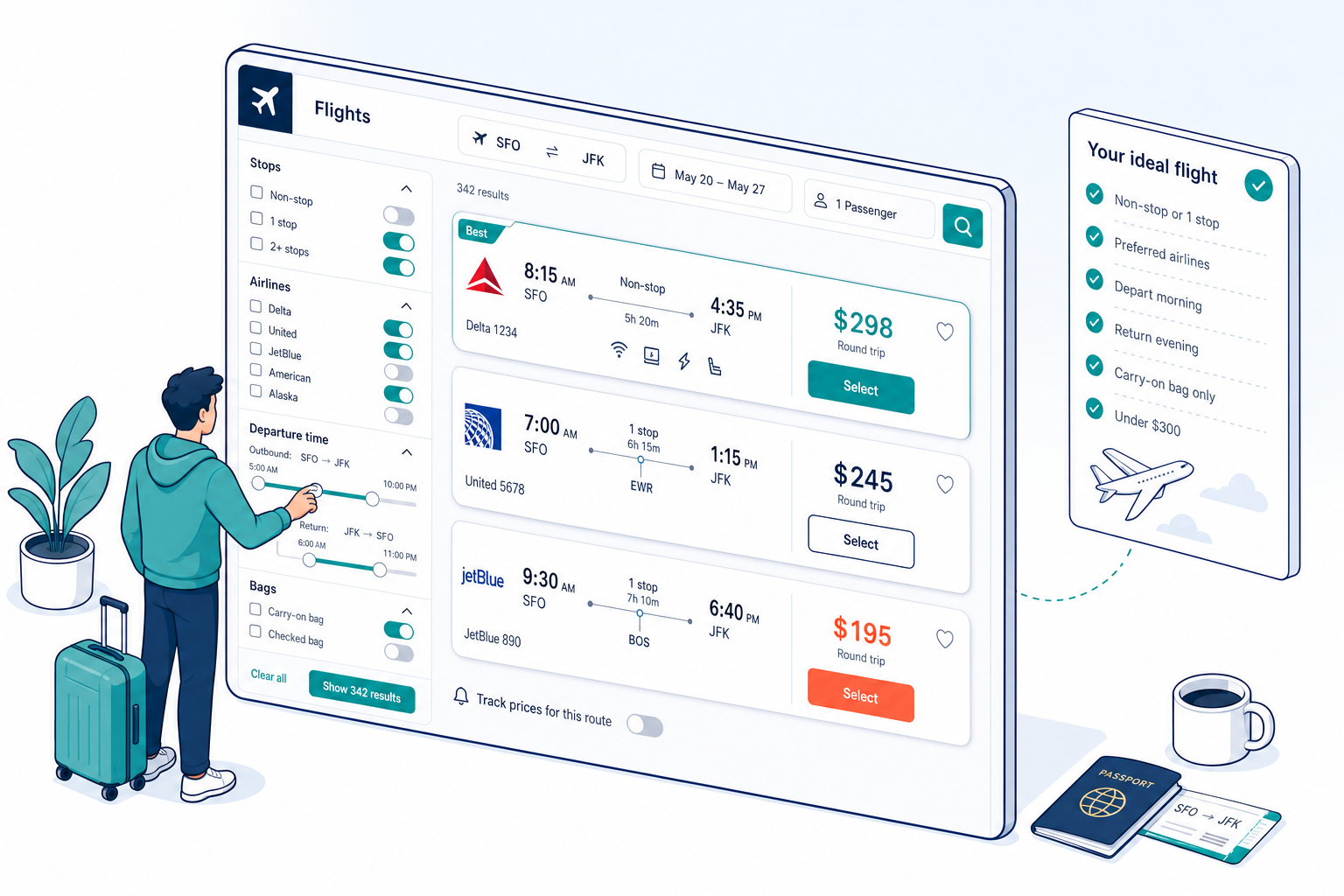
The baggage filter — added in 2025 — is a game-changer. It shows upfront whether a fare includes a carry-on, checked bag, or only a personal item. Budget carriers that charge $30-60 per bag each way suddenly look a lot less cheap when you factor in the true cost. Toggle this filter to see the real price you'll pay.
Every flight now shows estimated CO2 emissions based on aircraft type, routing, and seat class. Click "Less emissions only" to filter for flights with below-average carbon footprints on your route. Newer aircraft like the A321neo and 787 Dreamliner consistently show lower emissions.
For U.S. and Canadian routes, you can now filter out basic economy fares entirely — the ones with no seat selection, no carry-on, and no changes allowed. If you know you'll never book basic economy, this declutters your results immediately.
This simple trick saves more money than most people realize.
When entering your departure or arrival city, click the location icon or manually add nearby airports. If you're searching from New York, don't just check JFK — add LaGuardia (LGA) and Newark (EWR). Some cities have shortcut codes that include all local airports: NYC for New York, WAS for Washington D.C., LON for London.
You can enter up to 7 airports in each field, separated by commas. I regularly see $100-200 price gaps between airports that are 30 minutes apart. A short drive or train ride to a different airport can fund an extra night at your destination.
Click "Multi-city" in the trip type dropdown to build complex itineraries — flying into one city and out of another, or chaining multiple destinations into a single booking.
Open-jaw itineraries (fly into Paris, train to Barcelona, fly home from Barcelona) are often cheaper than round trips when you compare total cost including ground transport. Google Flights makes it easy to test these combinations.
Pro tip: mix and match airlines on multi-city searches. Flying one carrier outbound and a different one back can sometimes cut your total fare by 20-30% compared to sticking with a single airline for the round trip.
When you see a multicolored badge next to a fare, that's Google's Price Guarantee. It means Google is confident enough in the price that they'll refund you the difference if the fare drops after you book.
It's essentially free price-drop insurance. The catch is it only appears on flights where Google's algorithm is highly confident the price is already near its lowest — so the refunds tend to be modest. But free money is free money.
Google rolled out AI-powered Flight Deals globally in late 2025, and it's genuinely useful for flexible travelers.
Instead of filling in rigid search fields, you can describe your trip in natural language: "week-long beach trip under $500," "romantic weekend getaway in Europe," or "cheap nonstop flight from Chicago in October." The AI cross-references real-time pricing from 300+ airline and booking partners to suggest destinations and dates that match.
Google analyzes millions of fare transactions to surface optimal booking windows, and the data is clear.
| Trip Type | Best Booking Window | Sweet Spot Range |
|---|---|---|
| Domestic (U.S.) | 39 days before departure | 32–73 days out |
| International | 49 days before departure | 60–240 days out |
| Thanksgiving travel | 51 days before departure | 32–73 days out |
| Christmas / New Year's | 35 days before departure | 24–59 days out |
Google Flights now surfaces a "Cheapest time to book" indicator on many routes, showing you the optimal booking window and estimated savings. Look for it in the price insights section of your search results.
One counterintuitive finding: flying on the actual holiday — Christmas Day, Thanksgiving Day — is almost always significantly cheaper than the days surrounding it.
| Feature | Google Flights | Notes |
|---|---|---|
| Search 300+ airlines | Yes | Most comprehensive free tool |
| Price tracking alerts | Yes | Email alerts on significant changes |
| Price Guarantee refunds | Yes | U.S. departures only, up to $500/yr |
| AI natural language search | Yes | New in 2025, now global |
| Emissions data | Yes | CO2 estimates per flight |
| Baggage cost transparency | Yes | Shows included vs. extra bag fees |
| Book directly | No | Redirects to airline or booking site |
| Set target price alerts | No | Can't set a "notify me at $X" threshold |
| Catch mistake fares instantly | No | Alert delays mean flash deals get missed |
| Search Southwest (pre-2024) | Now Yes | Added in 2024, now fully integrated |
| Points/miles pricing | No | Cash fares only |
Click to expand any flight card and you'll see seat pitch (in inches), whether there's USB/AC power, seatback entertainment, and Wi-Fi availability. This data is pulled directly from airline configurations and is shockingly accurate. An extra 2 inches of legroom on a 10-hour flight is worth knowing about before you book.
Google Flights lets you share proposed flights via email or link before purchasing — invaluable for group trip planning. Everyone can review the exact flights and prices before anyone commits.
Trip confirmations sent to your Gmail automatically populate at google.com/travel in a timeline format. It links to hotel searches, Google Maps, and activity recommendations — an underused all-in-one trip organizer.
Google Flights shows you where to book, but always choose the airline's own site when the price is comparable. Direct bookings give you better customer service, easier changes, and protection under the airline's own policies. Third-party booking sites can complicate things if your flight gets canceled. And when you're ready to book, Autopilot can help you lock in the best fare and handle the entire reservation process.
Yes, completely free. Google Flights doesn't charge any fees or markups. It's a search engine that aggregates fares from airlines and booking platforms, then directs you to the cheapest option to complete your purchase. Google makes money from advertising, not from ticket sales.
Google Flights is one of the most comprehensive fare search tools available, pulling from 300+ airlines and booking partners. However, it doesn't always show the absolute lowest price — some airlines restrict certain promotional fares from appearing on metasearch engines, and flash sales may not be indexed immediately. It's an excellent starting point, but cross-checking with the airline directly is always smart.
Price tracking is reliable for monitoring general fare trends and catching significant drops. However, alerts aren't instant — flash sales, mistake fares, and brief promotions may disappear before you're notified. Google's algorithm decides what counts as a "significant" change, and you can't customize the threshold. Think of it as a solid background monitor, not a real-time deal catcher.
On select flights departing from the U.S., Google will refund you the difference if the fare drops after you book — up to $500 per year per Google account. The refund is automatic and paid through Google Pay. It only tracks the exact same itinerary (airline, flight number, cabin class), and the price drop must exceed $5 to trigger a payout.
No. Google Flights is a search and comparison tool only. When you're ready to book, it redirects you to the airline's website or a third-party booking platform to complete the transaction. We recommend booking directly with the airline whenever the price is comparable for better customer service and easier modifications.
Launched globally in late 2025, AI Flight Deals lets you describe a trip in natural language — like "week-long beach trip under $500" — instead of using rigid search fields. Google's AI then searches real-time pricing from 300+ partners and suggests destinations and dates that match your description. Deals are flagged when fares are at least 20% below the typical price based on 12 months of data.
There's a persistent myth that Tuesday is the best day to book, but Google's data doesn't support a specific booking day advantage. What the data does show is that the best day to fly is Tuesday, with fares averaging 14% less than Sunday departures. Monday through Wednesday flying is about 13% cheaper than weekend travel overall. Focus on when you fly, not when you click "buy."
Yes, as of 2024. Southwest fares were notably absent from Google Flights for years, but they're now fully integrated into search results. This was a major addition since Southwest operates one of the largest domestic networks in the U.S. and frequently offers competitive fares, especially on shorter routes.
Disclaimer: This article is for informational purposes only. Flight prices, features, and policies referenced in this guide may change without notice. Google Flights features and availability vary by region. Always verify current pricing and policies directly with the airline before booking. Autopilot is not affiliated with Google.

