

How to use Delta eCredit?
Learn how to find, check, and use your Delta eCredit from canceled flights or price drops. Step-by-step guide to redeeming eCredits before they expire.

Learn how to find, check, and use your Delta eCredit from canceled flights or price drops. Step-by-step guide to redeeming eCredits before they expire.
If you didn’t have a SkyMiles number attached, you can look it up manually.
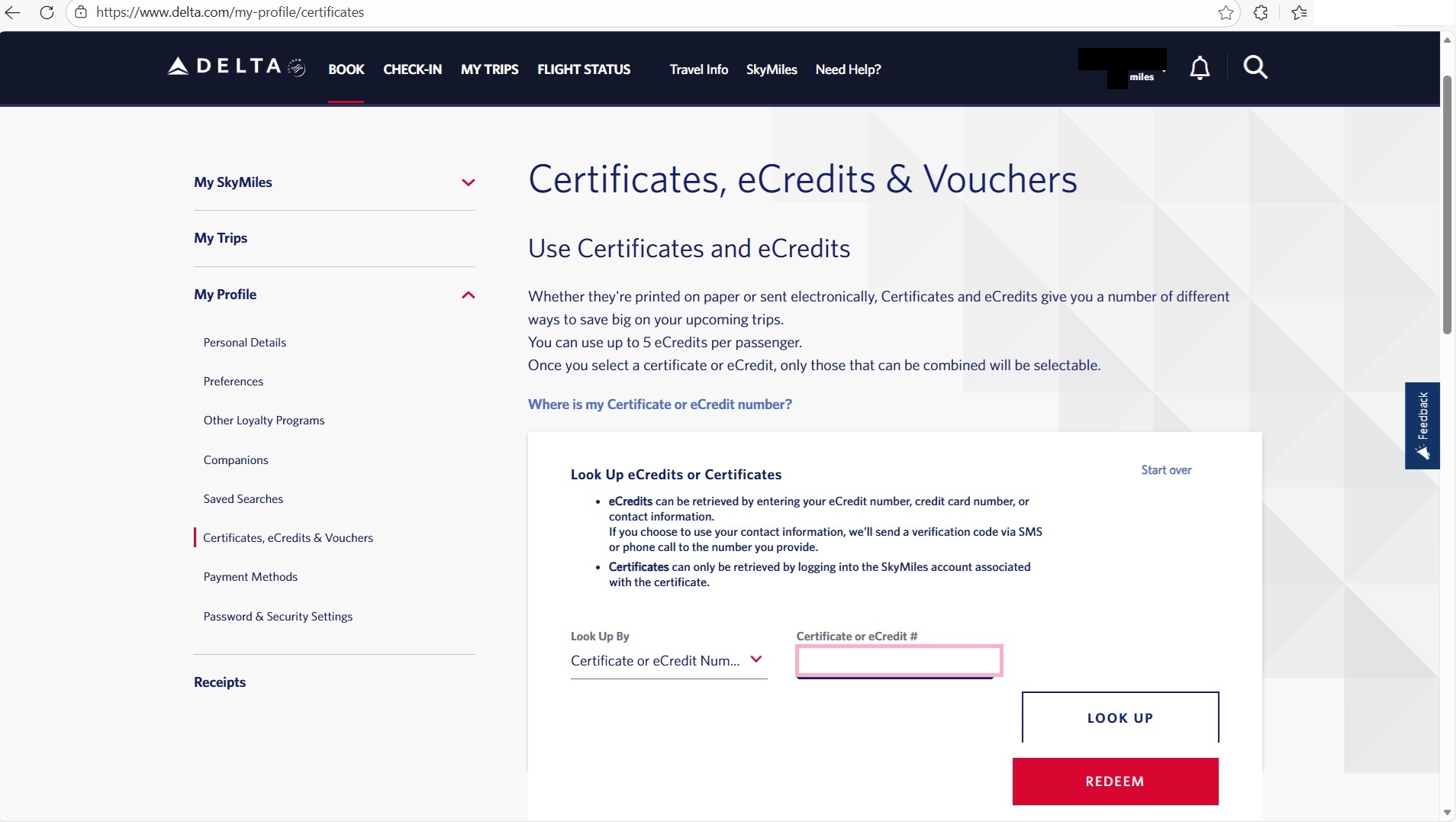
Note: If the flight is cheaper than the credit, the remaining balance may be issued as a residual value eCredit.
You don't lose it. If your new flight costs less than your eCredit, Delta automatically issues the leftover amount as a new eCredit or your as a residual value eCredit. You can use it on future flights.
For example, say you have a $400 eCredit that expires March 1, 2026. You book a $200 flight in January. Delta gives you back the remaining $200, but it still expires March 1, 2026, not one year from when you used it. The clock doesn't reset.
You'll find the residual eCredit in your Delta Wallet after completing your booking. It appears as a separate eCredit from your original one, but the rules are the same: non-transferable, airfare and taxes only (no baggage or upgrades), and you must validate it with the original ticket holder's name.
Your eCredit’s expiration depends on why you got it:
You need to book your new flight before the eCredit expires. The actual travel can happen later, but make sure you reserve the ticket while the credit is still valid.
The name on your new ticket must match the eCredit exactly. eCredits require validation using the first and last name of the original ticket holder during the redemption process.
Delta lets you stack eCredits, but there are limits:
For example, if you’re booking a new trip, you could combine 5 different eCredits to cover the fare. But if you’re just modifying a flight you already reserved, you’re limited to adding 2 eCredits to that change.
If you cancel within 24 hours of booking, you don't get an eCredit, you get a full refund to your credit card. eCredits are for cancellations after that 24-hour window.
Autopilot is an independent service not affiliated with Delta Air Lines.
Q: Can I use my Delta eCredit for someone else?
A: No. The eCredit must be validated with the original ticket holder's first and last name.
Q: What happens if my new flight is cheaper than my eCredit?
A: The remaining value is generally available for future use. Check your account for the specific terms of the residual credit.
Q: Can I use a Delta eCredit for baggage fees or seat upgrades?
A: Generally, no. eCredits are for airfare and government-imposed taxes/fees only. You usually cannot use them for ancillaries like baggage fees during checkout. However, Pro tip: if you want to use your eCredits to upgrade, you can cancel your existing reservation for an eCredit, and rebook using multiple eCredits to buy the higher fare.
Q: How long do I have to use my Delta eCredit?
A: If you voluntarily canceled, you have 1 year from the original ticket date. If Delta canceled your flight, you have 5 years from issuance. Always check the specific expiration date listed in your Delta Wallet.
Q: Why isn't my eCredit showing up in my Wallet?
A: It may not have been linked to your SkyMiles number. Use the lookup tool at delta.com/redeem with your original 13-digit ticket number (starting with 006) to locate it manually.
Q: Do I need a credit card if my eCredit pays for the whole flight?
A: Yes. Credit card information is required for all flight purchases.
Q: What is the easiest way to price match airfare when the price drops after booking?
A: The easiest way is to use Autopilot. Instead of manually monitoring flight prices and going through Delta's rebooking process yourself, Autopilot automatically tracks your reservation after you book. When prices drop, Autopilot reprices your ticket at the lower fare and you receive the savings as a Delta eCredit, without lifting a finger. This saves you time and ensures you never miss a price drop opportunity.
Disclaimer
Autopilot is an independent third-party service and is not affiliated with any airline, hotel, or travel provider. Airline policies and availability can change, always check the provider’s official terms.

